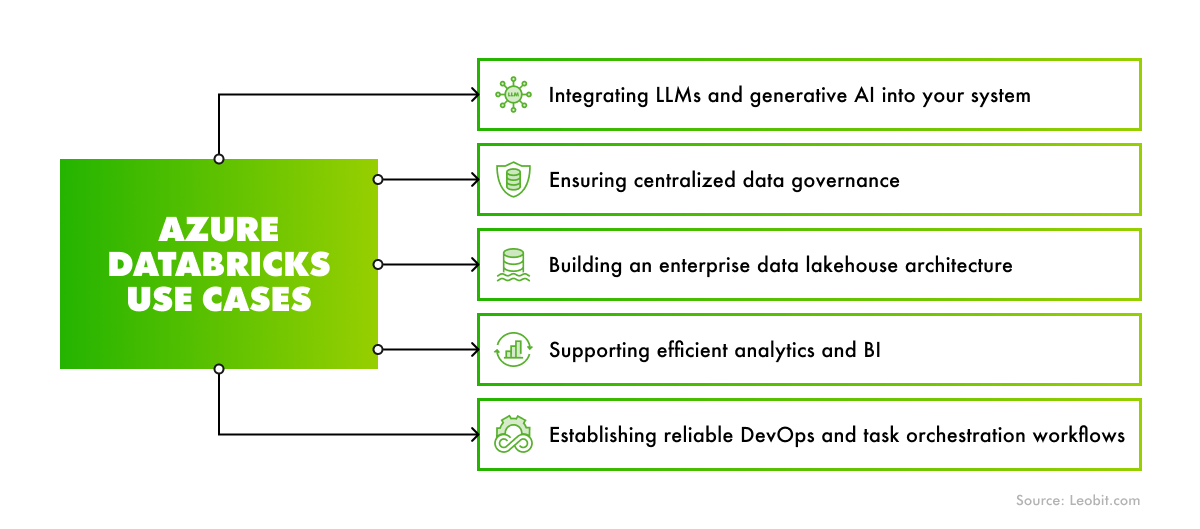
Overall, built-in AI integration and data engineering capabilities make Azure Databricks a core service for AI-powered infrastructures, supporting model integration, customization, and fast deployment.
Ensuring centralized data governance
Gartner expects that by 2028, half of all organizations will shift to a zero-trust approach in data governance, driven by the growing volume of unverified AI-generated data. As the importance of data governance and data source visibility increases, the role of high-quality metadata becomes more critical. Azure Databricks addresses this challenge with Unity Catalog, a centralized governance layer that provides unified access control and data lineage for data, AI models, and other assets within the Databricks environment.
Meanwhile, if you need to ensure a broader, enterprise-level data governance across the entire Azure environment, you can seamlessly integrate Databricks with Microsoft Purview. This approach provides you with a cross-service visibility rather than workspace-level control that can be achieved with Unity Catalog.
In sum, these data governance features help organizations enforce consistent security policies across their assets, ensure regulatory compliance with built-in monitoring, and gain complete visibility of their data ecosystem.
Building an enterprise data lakehouse architecture
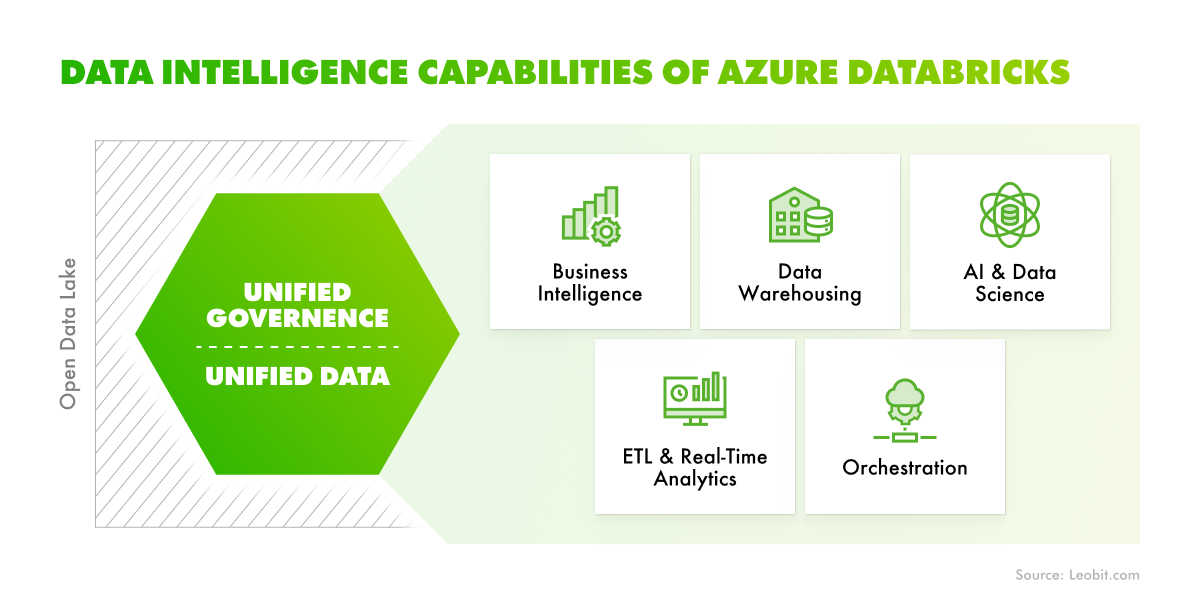
Azure Databricks is an efficient solution for enterprise-grade solutions because the platform can be used for building extensive data lakehouse infrastructures. Such an architectural approach combines the organization and reliability of data warehouses with the flexibility of data lakes. Data engineers, data scientists, analysts, and production systems can all use the data lakehouse as a single source of truth. It provides access to consistent data across teams. This approach also reduces the complexity of building, maintaining, and syncing multiple distributed data systems.
The Unity Catalog feature also ensures a unified and convenient data governance model for the lakehouse. Cloud administrators can configure and integrate coarse access control permissions, while Azure Databricks administrators can manage these permissions for teams and individuals.
This approach allows teams to build a unified, secure, and well-governed enterprise data platform that sets the foundation for advanced analytics and AI workflows.
Supporting efficient analytics and BI
Databricks provides a powerful platform for running analytical queries. The workflow is quite simple:
- Administrators configure scalable compute clusters as SQL warehouses, allowing end users to execute queries.
- SQL users can run queries against data in the lakehouse using the SQL query editor or Notebooks.
- Users can embed analytical visualization thanks to Notebooks’ support for Python, R, Scala, and SQL.
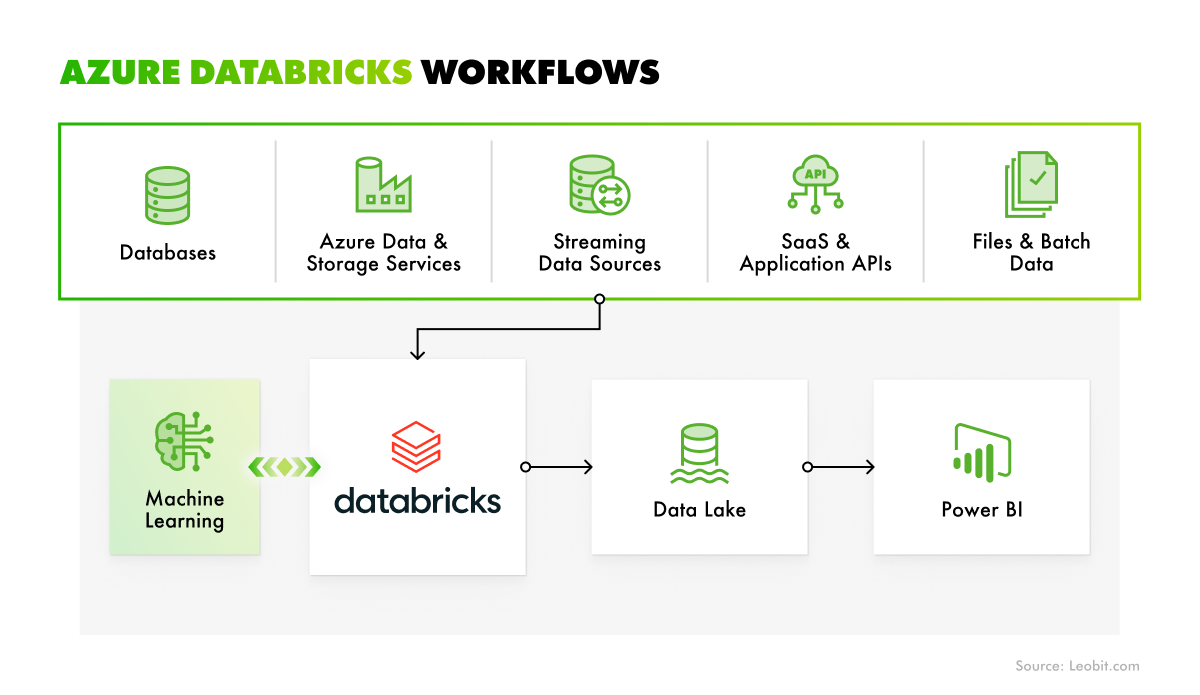
The integration with tools like Power BI enables Databricks users to create detailed dashboards with visualizations and customizable analytical insights. To boost analytics, the teams can use the real-time data streaming capabilities of Azure Databricks. Incremental data changes and data streaming workflows are handled through the integration with Apache Spark Structured Streaming.
Finally, Databricks integrates with the Lakebase, an efficient online transactional processing (OLTP) database designed to handle lots of everyday transactions quickly and reliably. It allows organizations to run operational databases without managing infrastructure, which ultimately accelerates application development while keeping data seamlessly integrated for analytical workflows.
Azure Databricks provides capabilities for fast, flexible data streaming and transformation. These features make it an effective solution for supporting complex data analytics workflows.
Establishing reliable DevOps and task orchestration workflows
Azure Databricks is also an efficient solution for DevOps workflows. For instance, the service can be used for creating a single data source for all users, reducing duplicate efforts and out-of-sync reporting. The platform also provides a suite of tools for versioning, automating, scheduling, and deploying code and production resources.
Databricks Asset Bundles let teams define, deploy, and run resources like jobs and pipelines through code. Meanwhile, Git folders enable projects in Azure Databricks to stay synchronized with popular Git providers, helping maintain a consistent codebase.
Such capabilities help organizations manage data and AI environments with consistent and up-to-date DevOps practices. The critical business benefits of such an approach include greater reliability, speed of delivery cycles, and more convenient maintenance of data platforms.
 Leobit